
Breakdowns
List the assets in one picture, such as props, set dressing and wardrobe, in a breakdown. Each asset is a row with a name, a category, a description and a box on the picture.
Create a breakdown
Section titled “Create a breakdown”In the Documents list, click +, then pick Breakdown. Then choose the source picture: a scene still, a picture from the gallery, a document picture or a file you upload. Replace picture changes it later.
The breakdown
Section titled “The breakdown”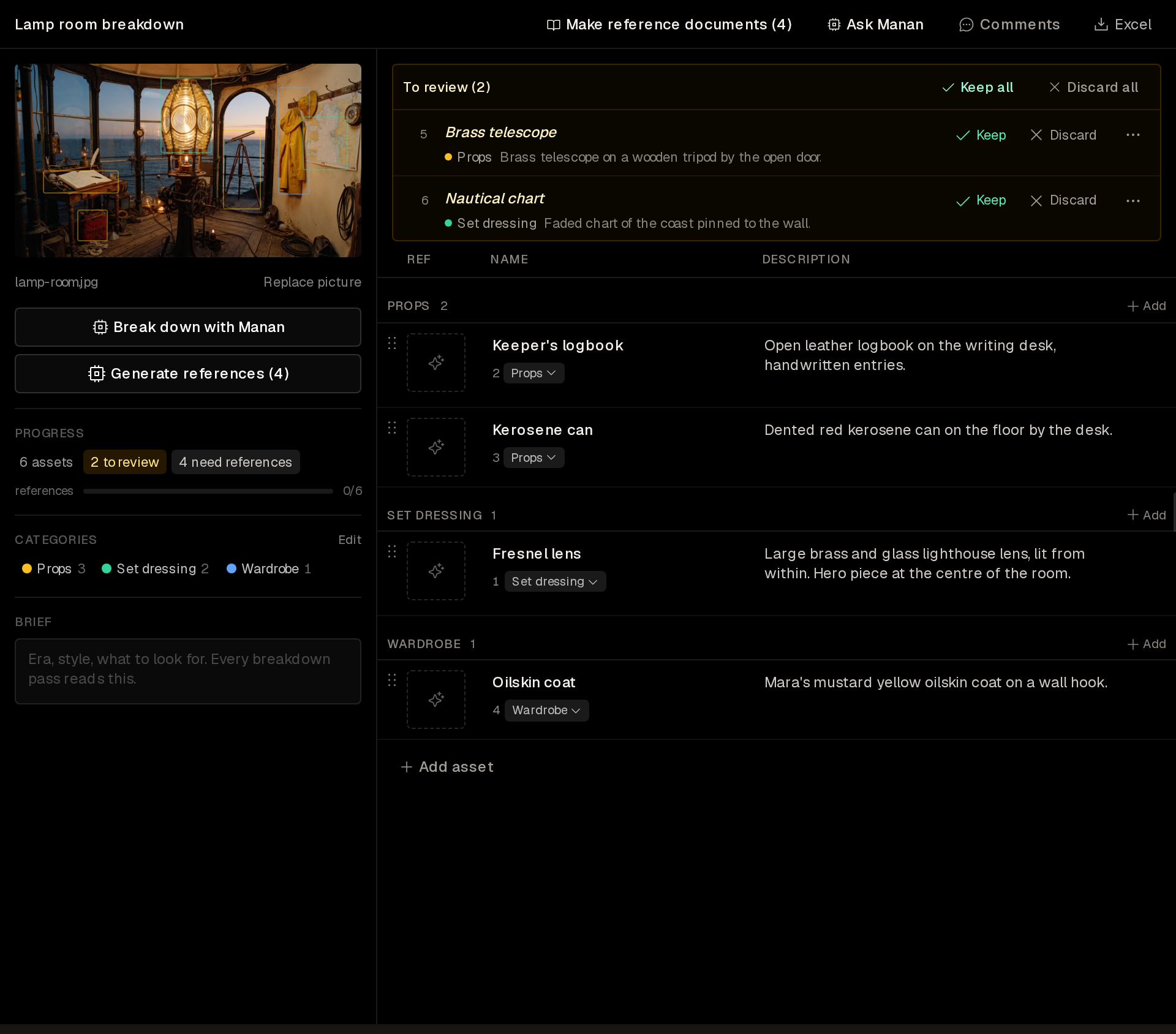
The source picture shows a box on each asset. Below it are these controls:
- Break down with Manan opens Manan with a request to read the picture and propose asset rows. Send it to start the pass.
- Generate references lists the accepted assets that have no reference picture. Pick the assets, and Manan makes one picture for each. Manan edits the source picture to show the asset alone. For a small asset, it works from a crop around the asset’s box.
- Progress counts the assets, the rows to review and the assets that need a reference picture.
- Categories lists the categories. Edit adds or removes them.
- Brief holds notes that every breakdown pass reads, such as the era, the style and what to look for.
The rows sit beside the picture, grouped by category. Add in a category header and Add asset add a row by hand.
Review proposed rows
Section titled “Review proposed rows”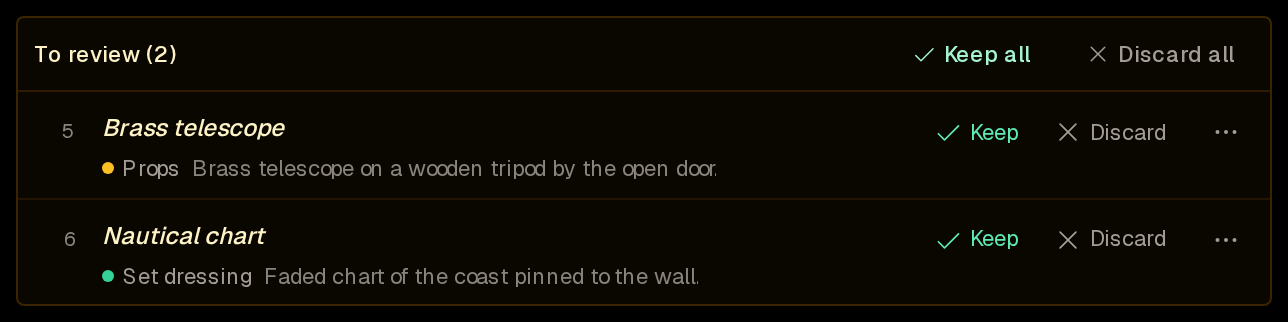
The rows that Manan proposes wait in To review. Keep accepts a row and Discard removes it. Keep all and Discard all act on every proposed row.
Keep assets as reference documents
Section titled “Keep assets as reference documents”Make reference documents in the header opens Manan with a request to make a reference document for each accepted row. Each document gets the asset’s reference picture in its image bank. A row whose name matches an existing reference document links to that document. Mention those documents in a prompt to keep each asset the same in every scene.
A breakdown in your library cannot generate references or make reference documents. Attach it to a project to use them.
Excel in the header exports the rows as a spreadsheet.