
Storyboards
Plan a video as panels in a storyboard before you make scenes. Each panel holds one picture, a title, a duration, the camera, the action, the dialogue and notes.
Create a storyboard
Section titled “Create a storyboard”In the Documents list, click +, then pick one of these:
- Storyboard from scenes makes one panel for each scene of the project, with its still, its duration and its dialogue from the script.
- Empty storyboard starts with no panels.
You can also ask Manan to make a storyboard, or to fill one.
Panels and scenes
Section titled “Panels and scenes”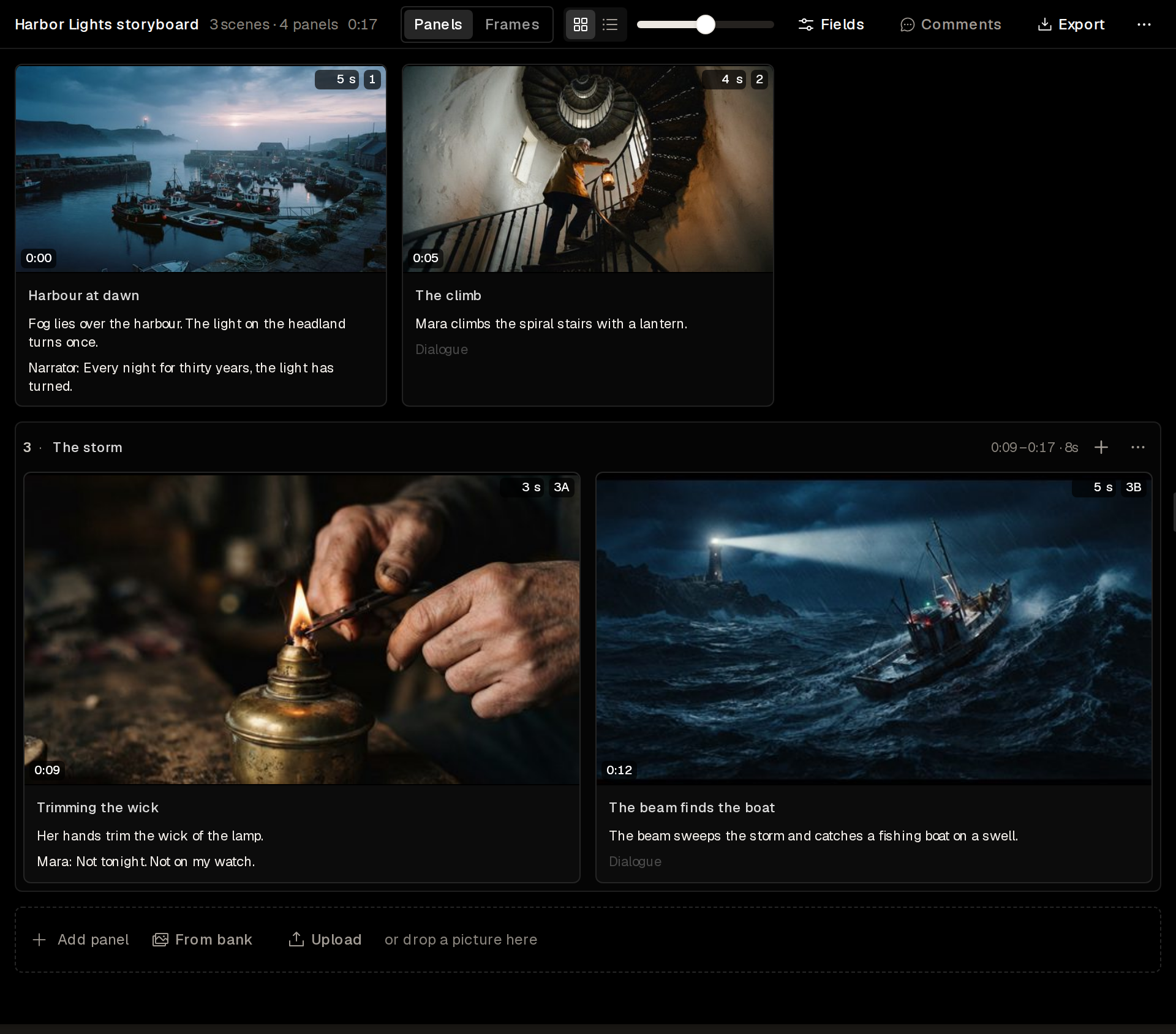
Each panel shows its picture and its code. With Duration on, it also shows its start time and its duration. A panel on its own is a scene. Several panels that you group make one scene with codes such as 3A and 3B, and the scene header shows its time span.
To add a panel, use Add panel, From bank or Upload below the last scene, or drop a picture there. The + in a scene header adds a panel to that scene.
The header shows the number of scenes and panels and the total duration. Two views show the same panels:
- Panels shows every panel with its fields. Grid shows the panels as cards, and List shows one row for each panel.
- Frames shows one card for each scene, with its panels as a strip of frames.
The slider sets the panel size.
Refresh from scenes in the More menu updates the panels from the project’s scenes.
Choose the fields
Section titled “Choose the fields”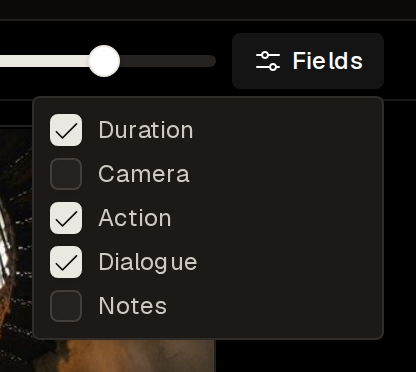
Fields picks the fields that each panel shows: Duration, Camera, Action, Dialogue and Notes. A hidden field keeps its text.
Make panel pictures
Section titled “Make panel pictures”Ask Manan to draw the pictures of panels. Manan draws each picture from the panel’s title, camera and action.
Each message to Manan and each panel picture spends credits.
Push the storyboard to scenes
Section titled “Push the storyboard to scenes”Push to scenes turns each scene of the storyboard into a project scene. A scene that came from a project scene updates that scene. To push only some scenes, select them first. A storyboard in your library asks for a project first, or makes a new one.
Export a storyboard
Section titled “Export a storyboard”Export saves the storyboard as PDF pages or PNG pages, or as a Word shot list, a CSV shot list or an Excel shot list.